Product inventory tracking
For each product and product variant of the store, the tracking of the available inventory has to be managed. Depending on the circumstances for each store and product, a different approach can be used. There are two main ways to manage the inventory and as for each, different things need to be kept in mind, when working with Shophub.
Tracked inventory
When the inventory of a product is tracked, each successful order, will decrease the given available amount of the bought product variant. Setting the available quantity for a product differs, depending on if the product consists of multiple product variants or is just a single product.
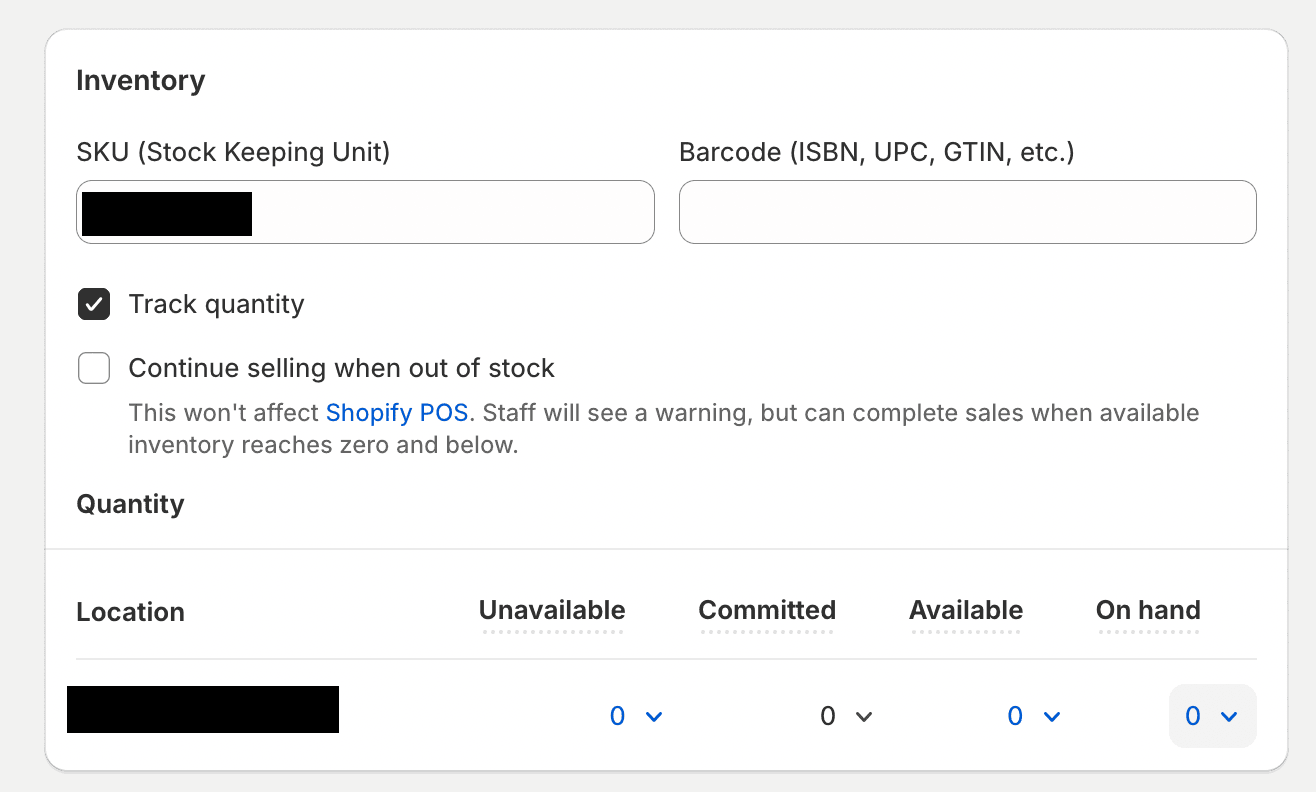
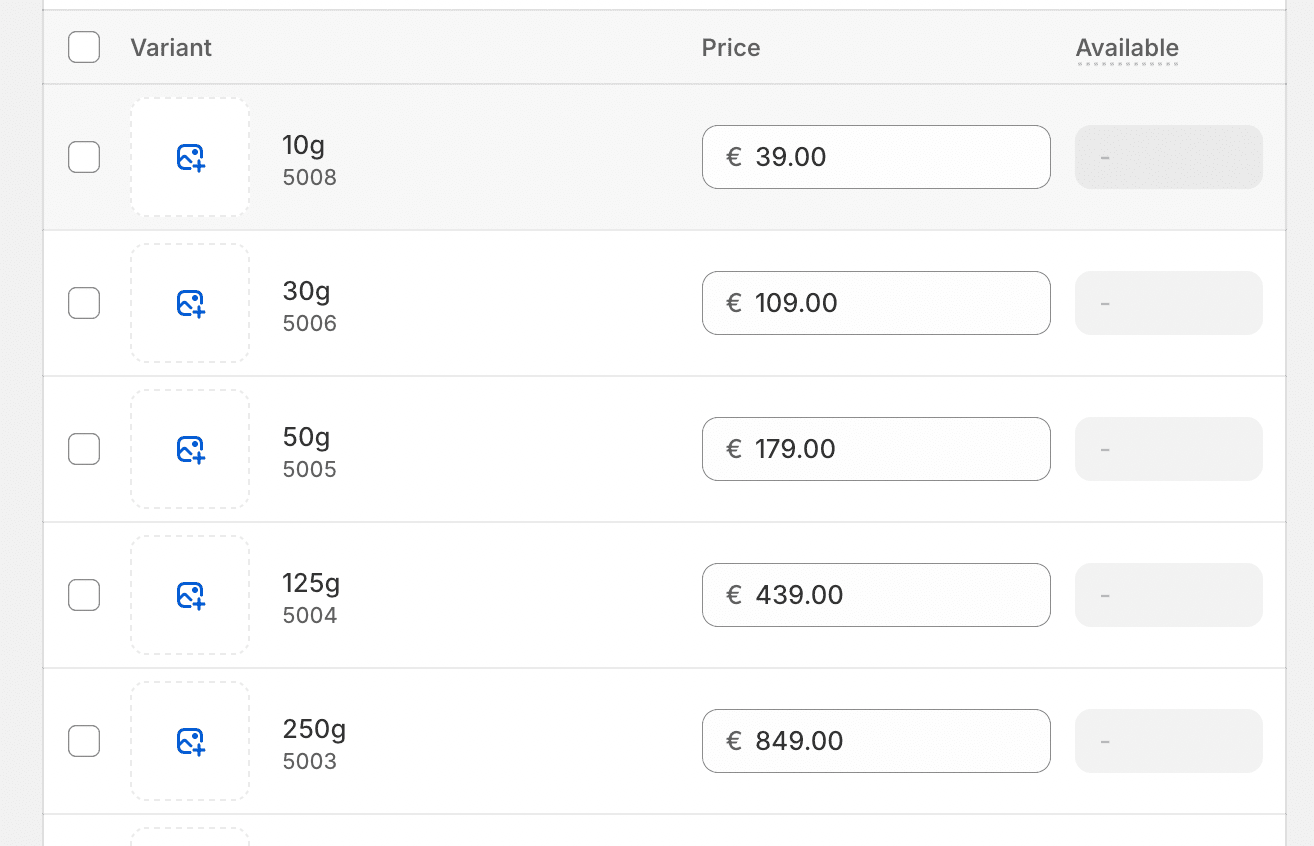
When it's decided to track the quantity of the product, simply update the available quantity amount of the subjected product or variant. Shophub assumes by design, that all products have an untracked inventory, as it can't be directly determined if that's the case or not and the majority of products will have an untracked inventory. But for some products tracking the quantity can also be a desired feature.
Thanks to webhooks, Shophub gets informed if a products inventory tracking policy is getting changed and updates the database accordingly.
If it's somewhat necessary to manual toggle the inventory tracking policy status, a POST can be issued against the Shophub backend at the endpoint _.apiBaseUrl/v1/products/variant/inventory/[PRODUCT_ID]`. Calling this endpoint, will toggle the current trackage status, saved in shophub and return the update status.
Products that have tracking enabled and are not sold if they're out of stock, will be displayed as Sold out, if the products quantity is zero or below. Furthermore, will the selectable quantity decrease, if the available amount of products left drops below 10 items.
Untracked inventory
By default, does Shophub consider a product to be untracked in terms of their available inventory. This is done by design, as the majority of products will have an untracked inventory, and it's not possible to determine if a products inventory is tracked or not.
Therefore, there are further steps necessary at the end of Shophub. Yet some things need to be kept in mind when configuring an untracked inventory product in Shopify. The problem is that the object for a product that is returned by _Shopify, doesn't let Shophub determine, if the inventory is tracked or not. Even when the trackage is disabled in Shopify, the payload for the quantity will look similiar to the example below.
{
    "__typename": "ProductVariant",
    "id": "gid://shopify/ProductVariant/0123456789",
    "title": "Default Title",
    "quantityAvailable": -1,
    "currentlyNotInStock": false
}
The quantityAvailable attribute will continue to return the value that was set before the trackage was disabled.
To prevent unexpected behaviour, like displaying that a product is out of stock in the cart, either set the available quantity to something above zero
or set the checkbox Continue selling when out of stock to true. This sets the attribute for currentlyNotInStock to true, which means that the product can still be sold, even if the available quantity of the product is zero or below.
Shophub.Product type. The cart utilizes the Shopify.Cart object, causing this problem.